Remote File Transfer
Back to Module 3 | Back to Table of Contents
05 File Remote Transfer
Introduction
Data transfer between PC and Jetson is often required in the development process, so this section will describe how documents are transmitted between PC and Jetson.
scp method
SCP (Secure Copy) is a SSH-based secure file transfer command that can be used to quickly and encrypt files or folders between this machine and a remote server. It is simple to operate by uploading a document to a remote device or downloading it from a remote device to a local location with a single command and is well suited to secure data transmission between different devices.
Transfer File
Transfer a file from your PC to Jetson.
Run the following command in your Linux PC terminal to copy test_scp.txt from the current directory to the /home/seeed directory on the Jetson device.
scp test_scp.txt seeed@192.168.137.94:/home/seeedEnter the Jetson account password when prompted.

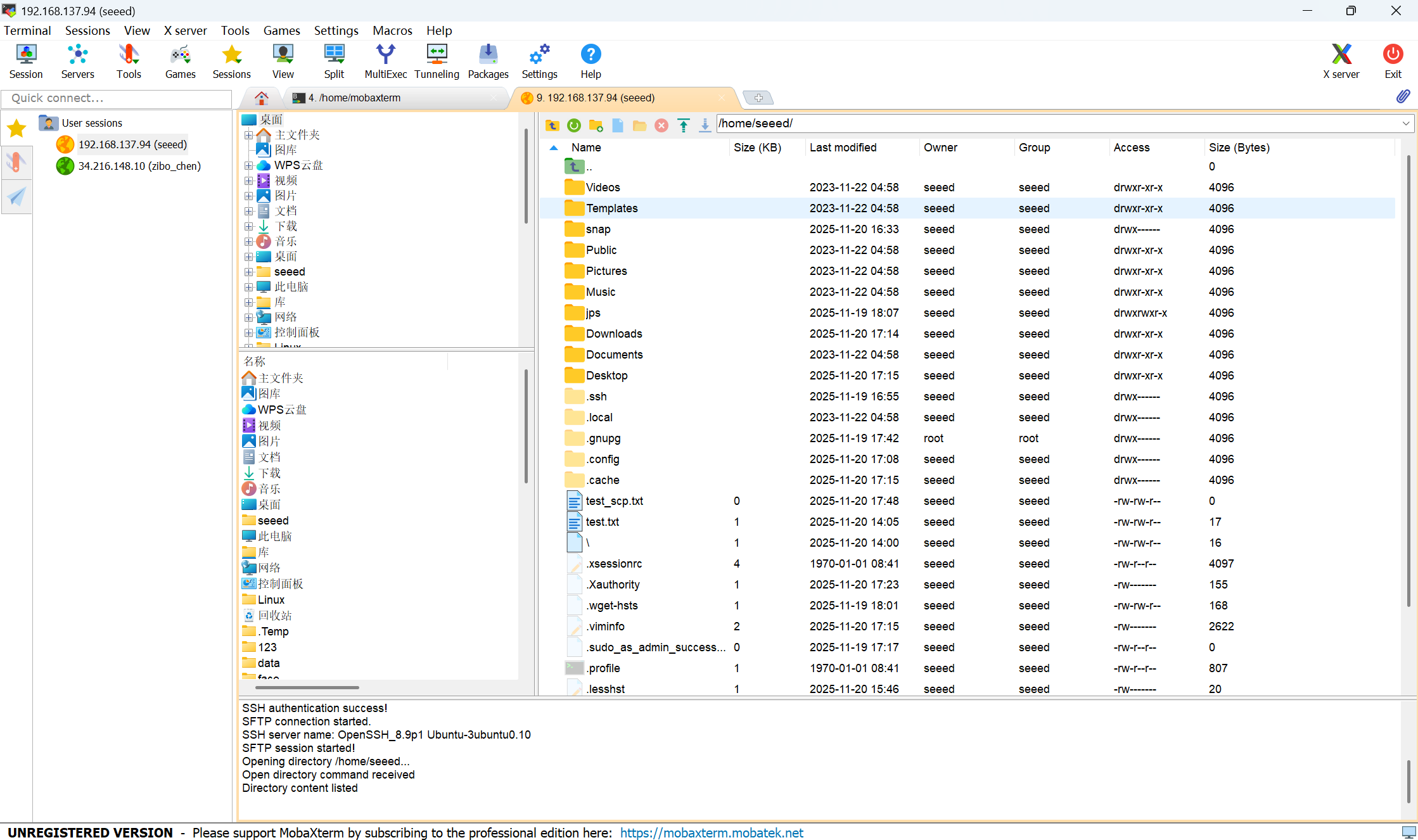
After the transfer completes, you should see test_scp.txt in the Jetson /home/seeed/ directory.

Use MobaXterm
File transfer using MobaXterm as described in the 03 SSH Remote Landing Chapter
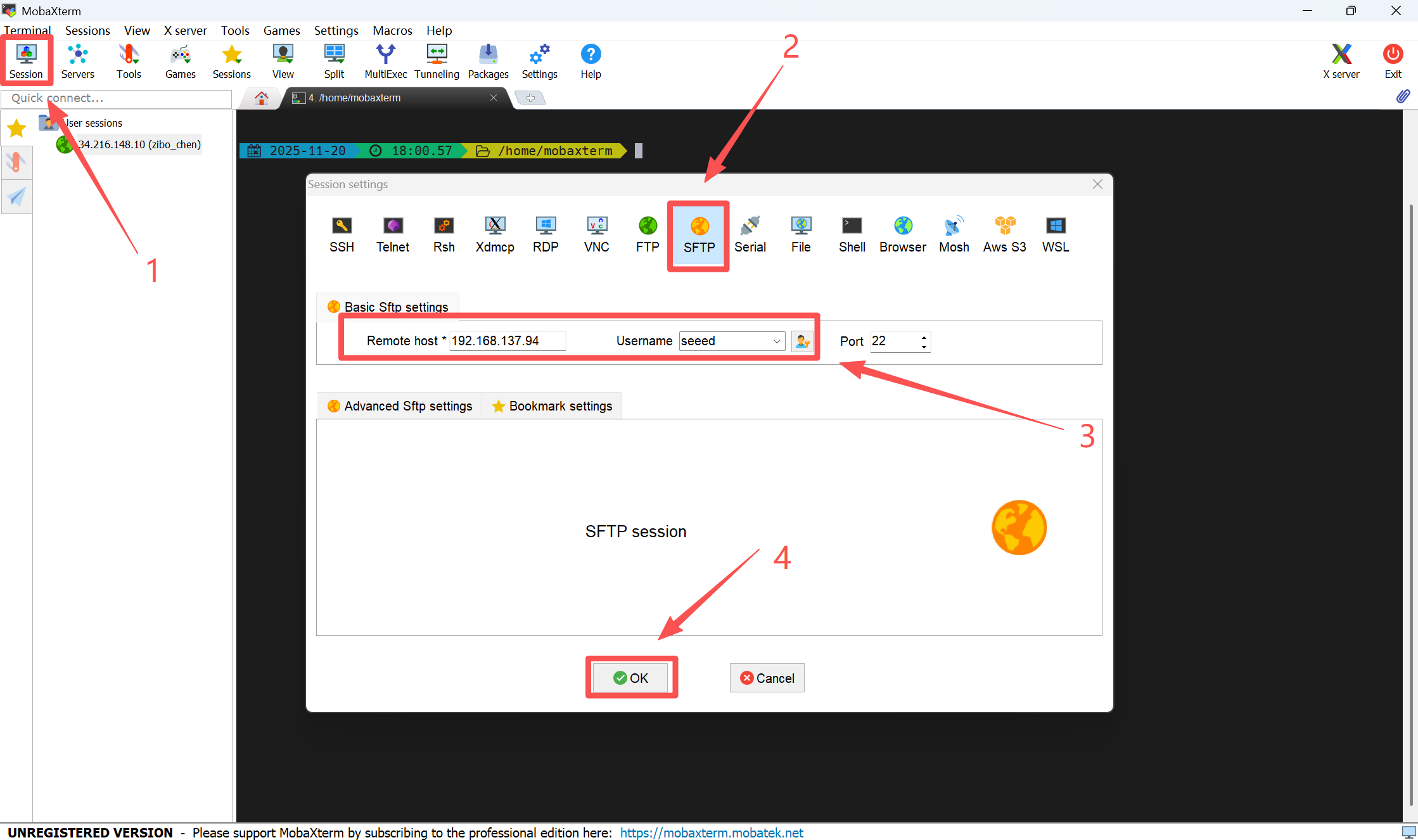
Create a new Seesion->SFTP->Input Jetson IP and Username->OK
When the connection is successful, you can transmit the file.